Bible study
Your Bible shouldn’t feel like a PDF.
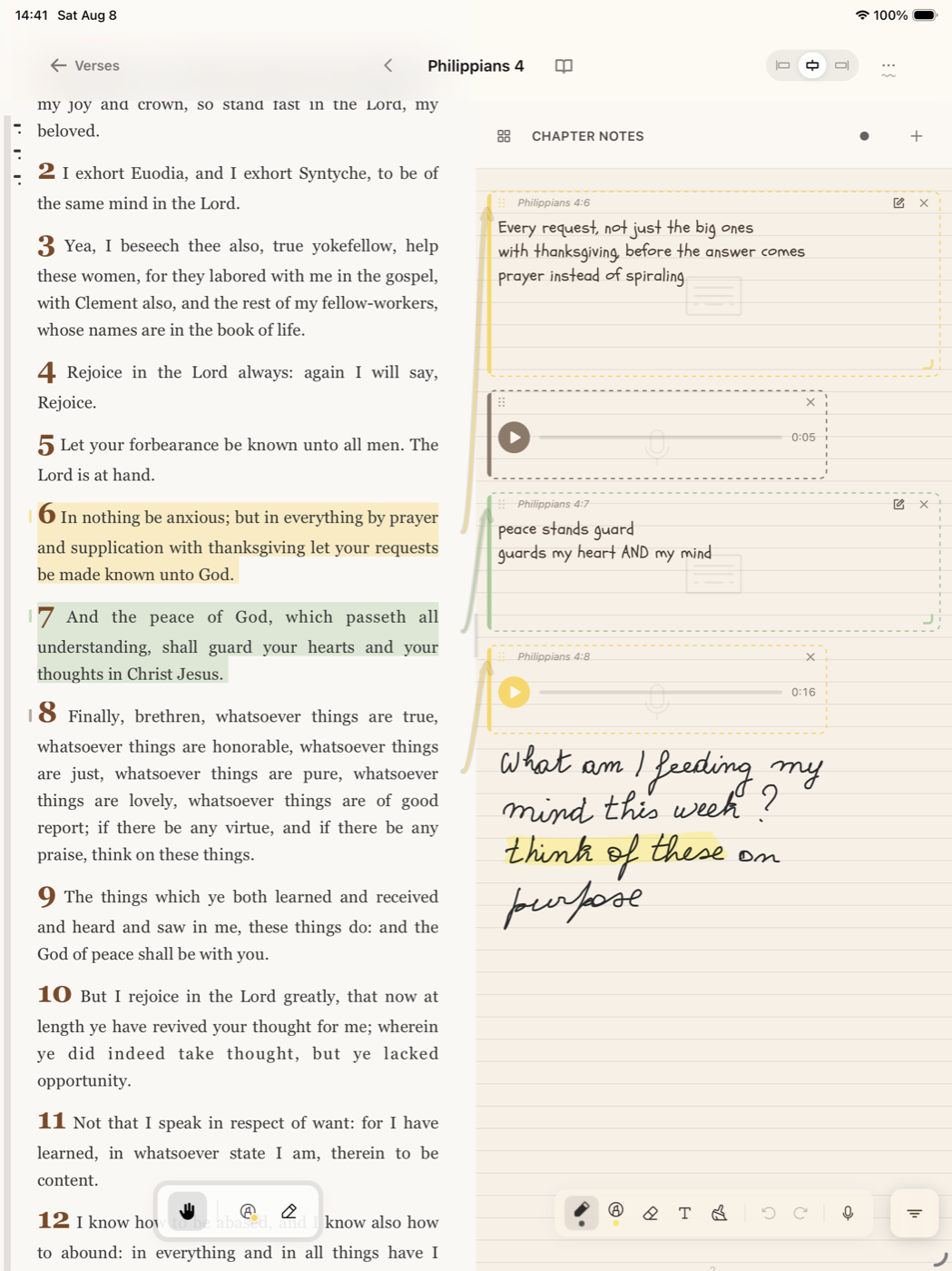
Underline it. Circle it. Write in the margin. Bible J lets you mark up Scripture with Apple Pencil or your finger, and everything you notice stays attached to the passage.
Available now on iPhone and iPad · Private by default
Mark the text
Highlights that respect the words underneath, not a blunt yellow bar dragged over a page image.
Write beside it
Handwriting, typed notes, sketches and voice, all anchored to the verse that prompted them.
Find it again
Your notes live in one searchable journey, so a thought from last spring is still there next time you open the chapter.
Study with your hands.
StudyCanvas is built for Apple Pencil first — underline, circle, sketch, and write in the margins as naturally as you would on paper, without losing what you wrote to a closed notebook.
Read it. Then respond to it.
Everything you mark stays connected to your journal, and stays private to you.



Scan to install on your phone