Journal the Word
A calm, private place to read Scripture, reflect, pray, and carry what matters into everyday life.


This page was prepared for the App Store editorial team.
Overview
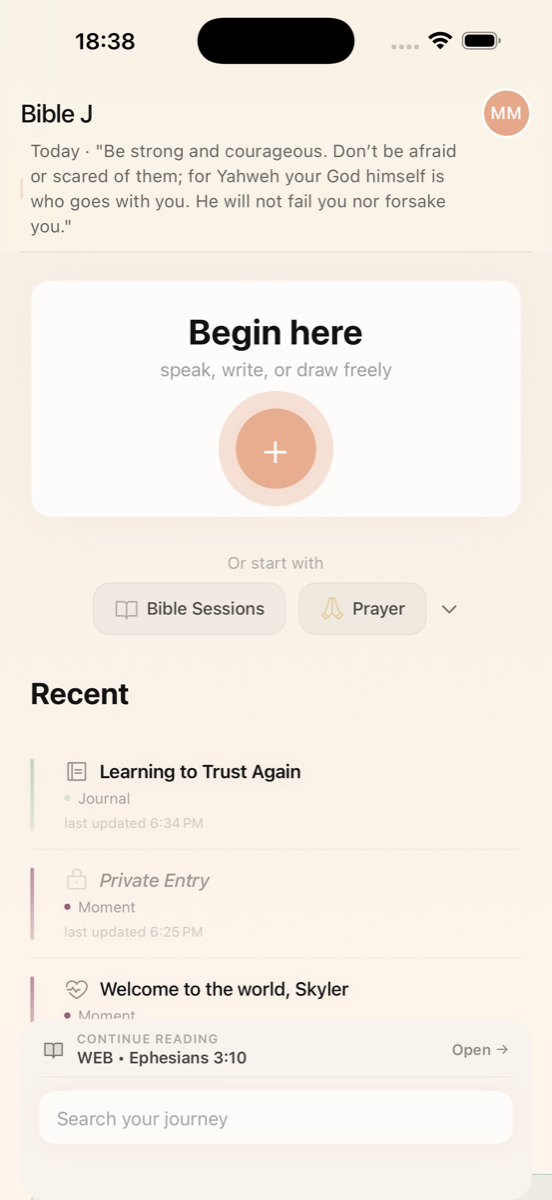
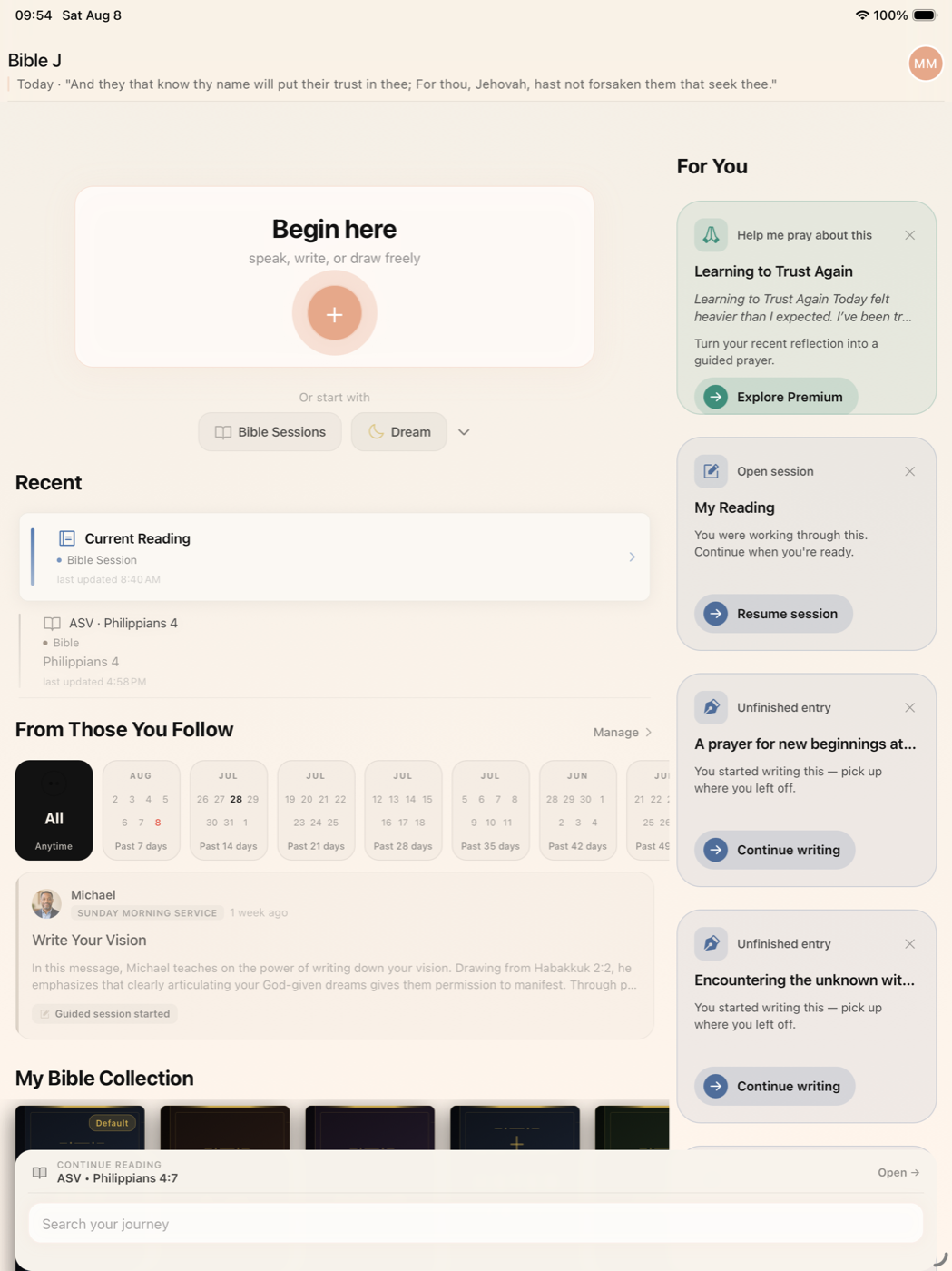
Bible J brings Scripture reading, journaling, prayer, voice, drawing, sermon reflection, and personal commitments into one connected experience. It is designed without streaks or guilt-based pressure, giving people a quiet place to return when they are ready.
The Bible J journey
Scripture → Reflection → Prayer → Commitment
Every part of Bible J supports one quiet movement: from reading the Word, to reflecting on it honestly, to praying through it, to carrying it into everyday life.
Scripture
Read and compare Bible translations, highlight meaningful verses, and add personal annotations.
Reflection
Write, speak, or draw journal entries connected to Scripture, prayers, dreams, sermons, and everyday life.
Prayer
Help Me Pray turns what a person is carrying into a personal guided prayer, helping them find words and pray at their own pace.
Commitment
Turn a passage, prayer, or reflection into a practical intention that can be revisited and carried into everyday life.
Product video
Bible J in about a minute
A short walkthrough of the core experience, captured from the current production build. The video works without sound and uses on-screen captions.
Screen recordings from the current build. The video is silent, with on-screen captions.
Scripture reading and annotation
Read, compare, and respond to the text
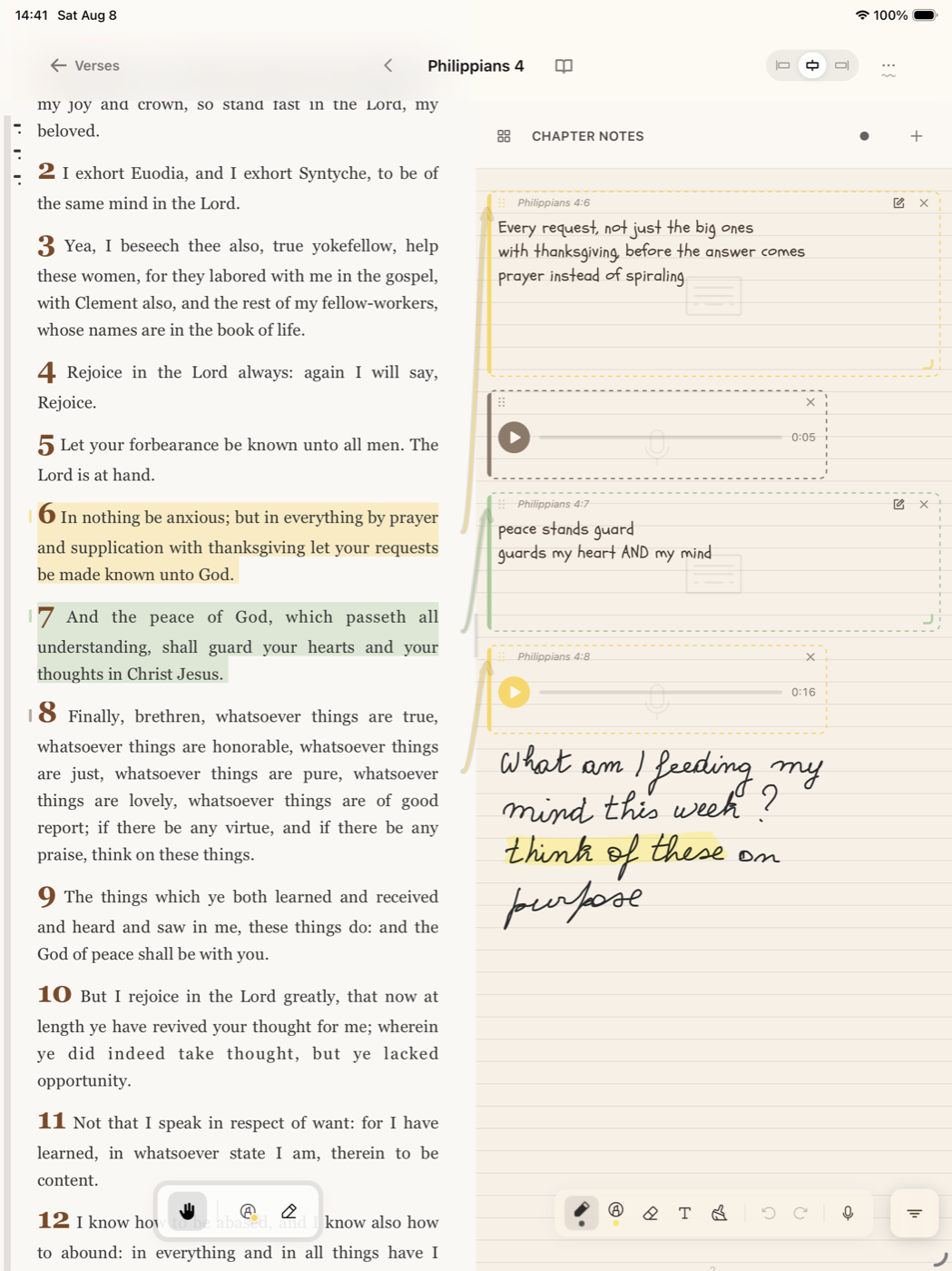
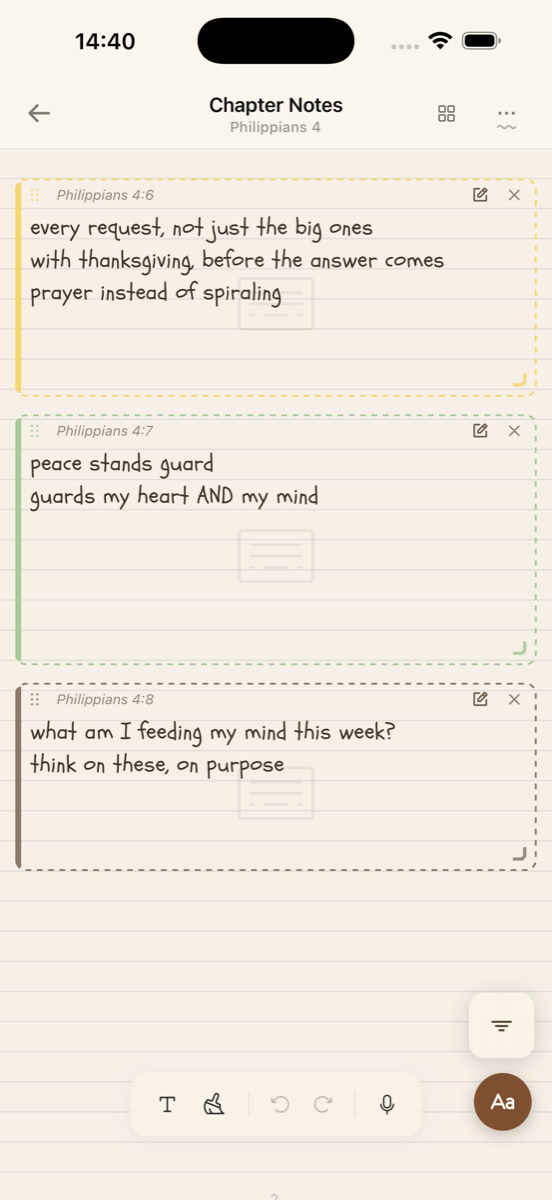
The Bible reader lets people read and compare translations, highlight verses that matter, and respond in their own way: written notes, voice notes attached to verses, and drawn or handwritten annotations. When someone returns to a passage, their previous reflections are there waiting, so the text and their history with it stay connected.
- •Bible reader with translation comparison
- •Verse highlighting
- •Written notes on verses
- •Voice notes attached to verses
- •Drawing and handwritten annotations
- •Return to previous reflections on the same passage
Journaling
Write, speak, or draw, whatever fits the moment
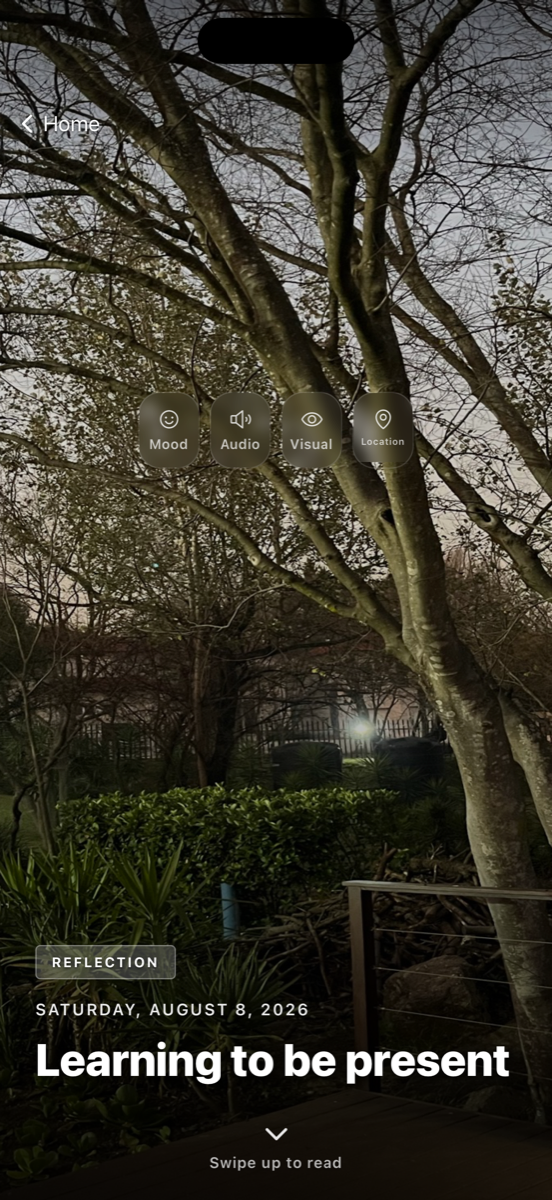
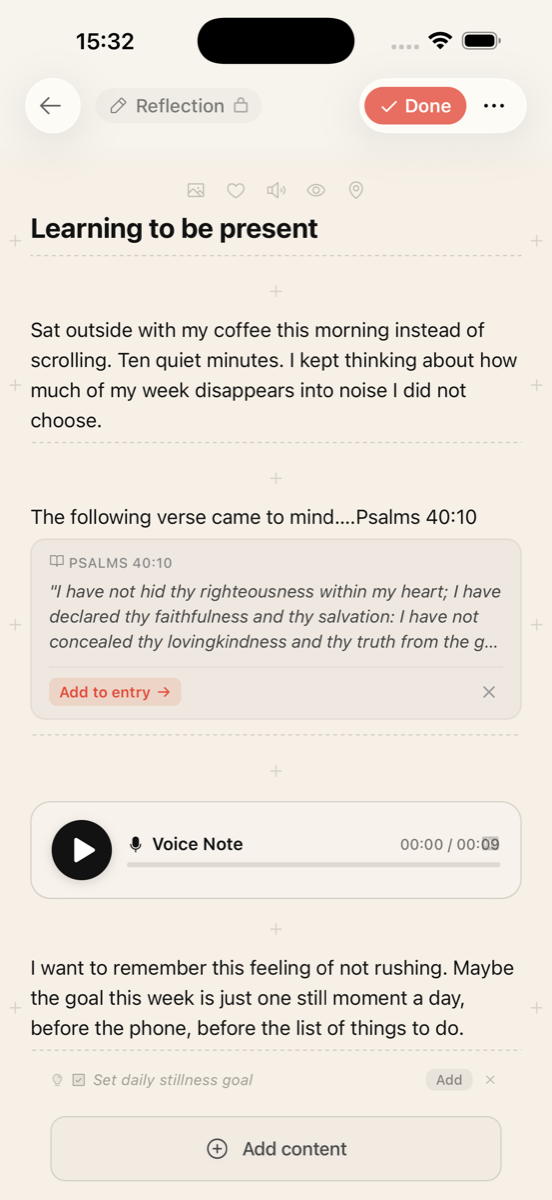
Journals hold rich entries built from flexible blocks: text, voice, drawings, and images. Voice entries can be transcribed, so a spoken thought becomes something to return to and read later. Dedicated prayer and dream entries give those moments their own space.
- •Journal covers and rich entries
- •Text, voice, drawing, and image blocks
- •Voice entries with transcription
- •Prayer and dream entries
- •Journaling by typing, speaking, or drawing
Help Me Pray
For the moments when the words won't come
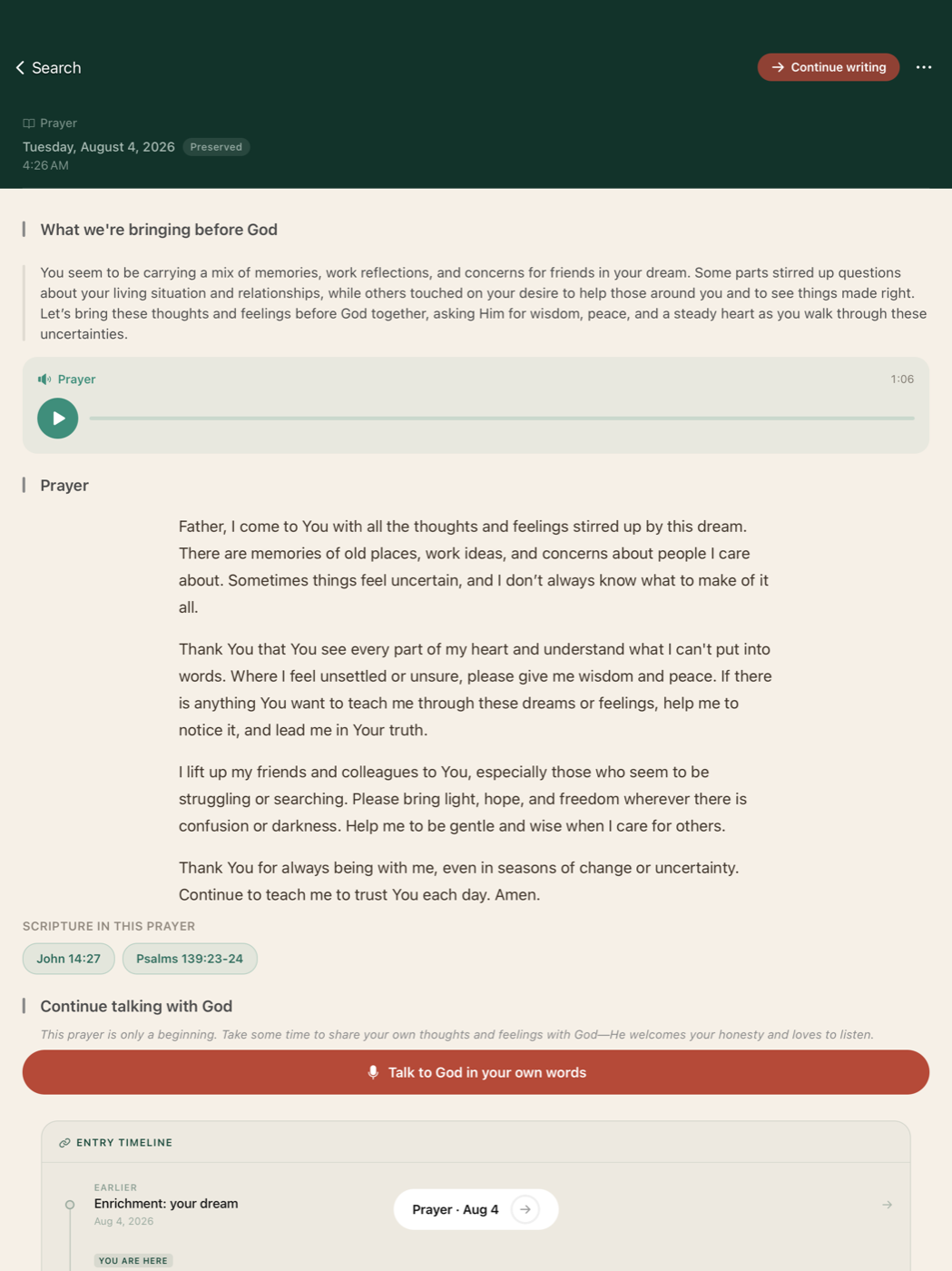
Many people want to pray but struggle to find words for what they are carrying. Help Me Pray meets them there. It does not replace churches, pastors, counselling, or personal spiritual guidance; it simply helps someone begin.
- 1 A user writes or speaks about what they are carrying.
- 2 They select Help Me Pray.
- 3 Bible J creates a personal guided prayer.
- 4 The prayer is displayed progressively while the user prays.
- 5 The user can hold the prayer control to move through it at their own pace.
Commitments
From reflection to a simple, personal intention
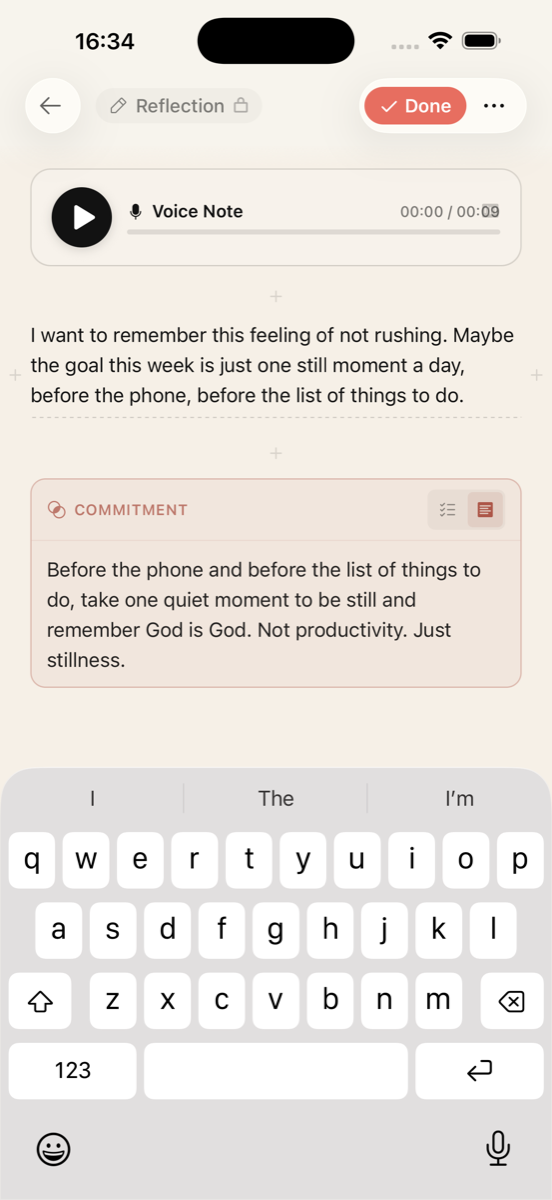
Commitments help users turn reflection into a simple, personal action or intention. A journal entry, a prayer, or a Bible passage can become a commitment with a clear summary, something to return to later rather than a task to be graded on.
- •Create a commitment from a journal entry, prayer, or passage
- •A clear commitment summary
- •Returning to a commitment later
- •Gentle ways to revisit progress
Sermons and ministries
The message doesn't have to end on Sunday
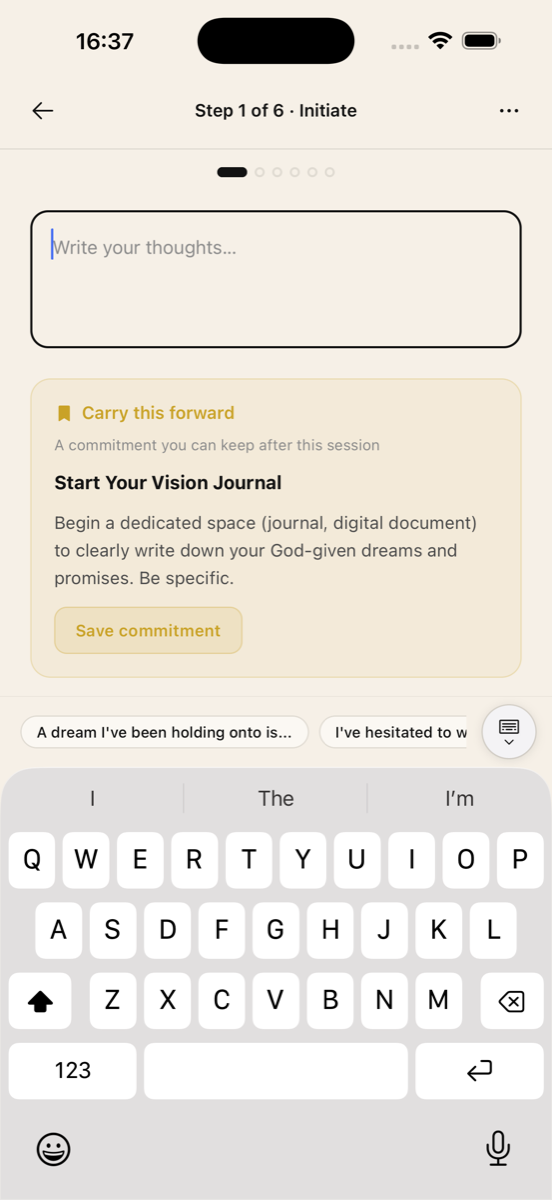
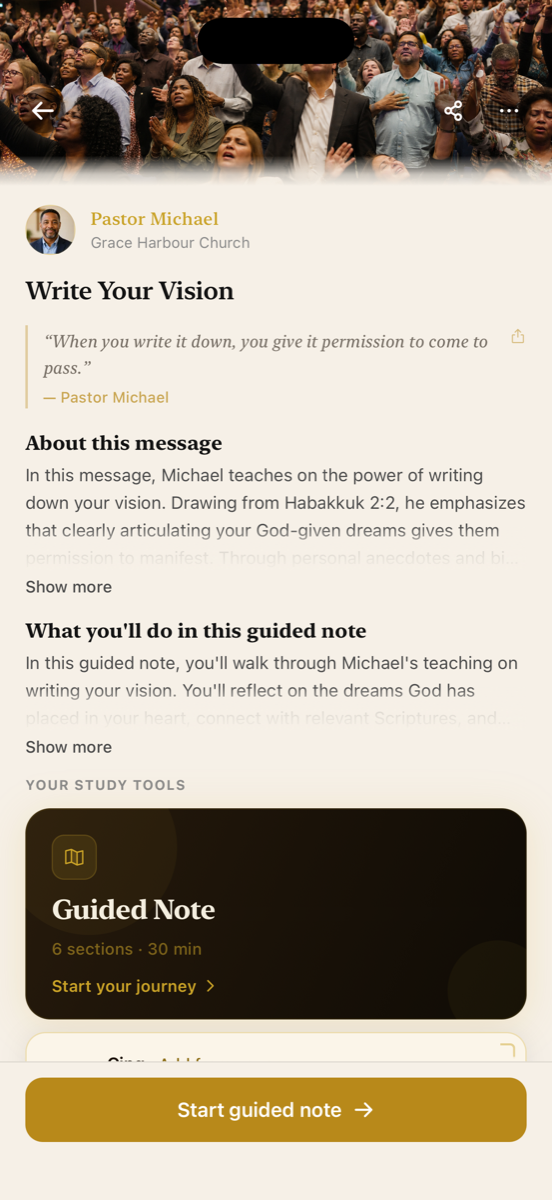
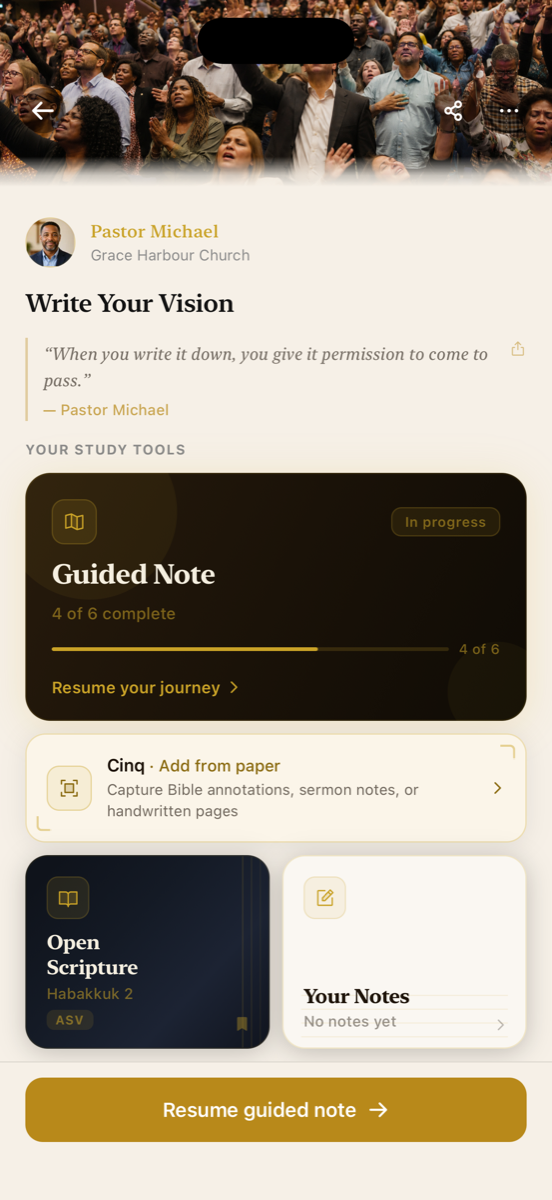
Bible J helps people continue engaging with a message after Sunday by turning sermons into guided reflection, prayer, notes, and commitments.
- •Ministry and speaker profiles
- •Sermon and teaching pages
- •Guided journaling sessions
- •Saving a teaching for later
- •Returning to notes after the sermon
- •Following a ministry, where currently supported
Demonstration ministry and sermon content shown on this page is fictional or used with permission.
Apple Pencil and iPad
Scripture study that feels tactile and personal
On iPad, Bible J is designed to make Scripture study and journaling feel like working on paper: highlight Scripture, write in the margins, draw on a journal canvas, add handwritten notes, and annotate a passage, all with Apple Pencil.
Recorded on iPad with Apple Pencil. Silent screen recording.
Privacy and design principles
Quiet by design, private by default
Localization
Prepared for international audiences
Bible J's App Store listing is available across 50 storefronts worldwide.
- Interface language
- English
- App Store availability
- Listed in 50 App Store locales
- Scripture translations
- All freely available Bible translations can be added to a personal Bible collection, including public-domain translations such as ASV, KJV, and WEB, and non-English translations such as Ostervald (French)
- Accessibility
- VoiceOver labels on core controls, adjustable Scripture text size, and a calm, high-contrast interface
Editorial highlights
Why Bible J may be editorially interesting
- •Combines Scripture, journaling, prayer, sermons, voice, drawing, and commitments in one connected experience
- •Uses Apple Pencil meaningfully on iPad
- •Offers a calm alternative to pressure-driven engagement
- •Helps users move from reading to reflection, prayer, and practical action
- •Supports multiple ways of expressing a thought: text, voice, handwriting, and drawing
- •Extends the life of sermons through guided personal reflection
Review access
Exploring the app
Access
Bible J is live on the App Store: apps.apple.com/app/bible-j/id6760270131. For anything else — promo codes, a guided walkthrough, or additional materials — email info@biblejournal.app and it will be arranged the same day.
Finding Help Me Pray
Open a journal entry or Begin here, write or speak what you are carrying, then choose Help Me Pray.
Finding commitments
From a journal entry, prayer, or Bible passage, choose to turn it into a commitment. Saved commitments can be revisited from your journal.
Opening a sermon-guided session
Open a ministry or sermon page and start the guided journaling session to reflect on the teaching.
Testing Apple Pencil
On iPad, open a passage or a journal canvas and use Apple Pencil to highlight, write in the margins, or draw.
Supported devices
iPhone and iPad, running iOS or iPadOS 15.1 or later.
Contact
Contact and links
- Developer
- Mike Monji
- Contact person
- Mike
- Editorial contact email
- info@biblejournal.app
- Website
- biblejournal.app
- App Store
- Bible J on the App Store
- Support
- Contact page
- Privacy policy
- Privacy policy
- App Store product page
- Coming soon